

注:本页面所有接口均需要临时令牌。请先使用您的accessKeyId和accessKeySecret获取,详见登录认证。
访问接口时在header中设置Authorization为您的临时令牌。
1、获取分析表数据
访问:/api/v1/tables/{tableId}/fields/page
类型:POST
body:json:
{
"tableName": "XXX(路径中的tableId,可从3、4接口中获取)",
"pageIndex": 1(页码)
}
返回:
{
"success": true,
"code": "200",
"message": "success",
"data": {
"fields": [
{
"id": "18eb23d72251460a9b0e8e63867486e3_年份",
...
},
...
],
"data": [
[
"2019",
...
],
...
],
"pageInfo": {
"totalRows": 3,
"pageSize": 100,
"pageIndex": 1,
"finished": true
},
"dataStatus": {
"tableName": "18eb23d72251460a9b0e8e638*******",
"updateStatus": 0
}
},
"errorCode": null,
"detailErrorMsg": null,
"errorMsg": null
}
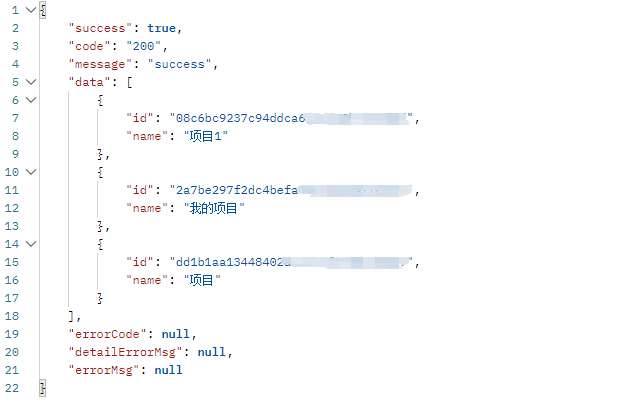
2、获取企业下所有项目列表
访问:/api/v1/folders
类型:POST
返回:
3、获取用户某目录下所有表名称-id对应关系
访问:/api/v1/{folderId}/tables
类型:POST
参数:路径参数:folderId:2中获取的项目id
返回:
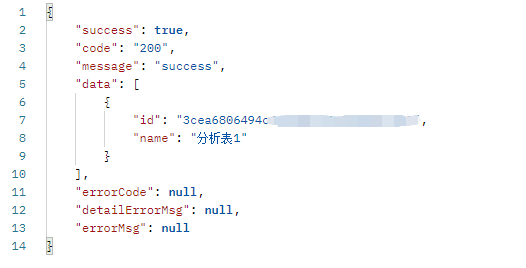
您可以直接使用返回列表中的id作为参数调用1接口获取表数据。
4、按表名返回表id
访问:/api/v1/table/{tableId}/id
类型:POST
参数:路径参数:tableId:您的表名(参考3中返回的name)
返回:
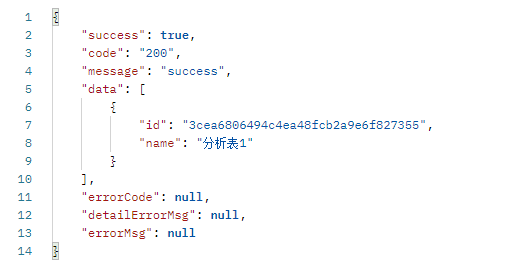
您可以使用返回的id作为参数调用1接口获取表数据。