

适用场景:安装了「FineVis数据可视化」插件的用户,可参考本文了解 FineVis 的相关功能。
版本编辑
| 报表服务器版本 | 插件版本 | 功能变动 |
|---|---|---|
| 11.0.16 | V1.15.0 | 新增控制模型轨迹运动接口:rotateTo 、rotateForwardTo 、scaleTo 、moveTo |
接口说明编辑
以下接口支持 三维自定义场景组件 以及 三维城市场景组件 中的自定义模型,获取模型对象后,可通过接口设置模型沿特定轨迹运动、转向、缩放等效果。
| 方法 | 含义 | 参数说明 |
|---|---|---|
| rotateTo() | 模型从当前欧拉角转到指定欧拉角 注:欧拉角表示模型在 x-y-z 三个轴上的旋转角度 | rotation:模型欧拉角,例如 [0,90,0] option:模型转向动画时长、回调监听 |
rotateForwardTo() | 模型从当前朝向转到指定朝向 | forward:指定朝向的方向向量,例如 [0, 1, 0] coord:{rotation,forward} 描述模型坐标系的正面方向 option:模型转向动画时长、回调监听 |
scaleTo() | 模型从当前大小缩放到另一个大小 | scale:模型大小 option:模型缩放动画时长、回调监听 |
moveTo() | 模型从当前位置移动到下一个位置 | position:模型位置 coord:{rotation,forward}|boolean 描述模型坐标系的正面方向 option:模型移动动画时长、回调监听 rotateForwardOption:模型朝向旋转参数 |
使用限制
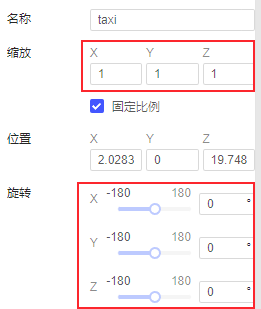
本文所述接口对模型的「缩放」和「旋转」有以下使用限制,不满足以下条件时,接口仍可使用,但对应效果不正确。
缩放(scaling)需为 [1, 1, 1] 的比例,且不能为负值
旋转(rotation)需设置为「0, 0, 0」
如下图所示:
接口 option 说明
动画时长相关规则
duration 和 speed 属性,都可以指定动画时长,但二者应用场景不同,一般只需要给出一个属性即可;若两者都存在,优先使用 duration。
1)duration:用于直接指定动画时长,单位 秒,需大于等于 0;当 duration = 0 时,表示无动画效果,立即变换到指定状态。
2)speed:通过设置动画速度来指定动画时长,单位 1/秒,需大于 0 。比如给定 speed 的情况下,moveTo 到更远的位置,需要的时间更多。
回调监听相关规则
1)onTransforming: (factor, value) => { func(); } 用于监听动画执行过程中的模型属性的变化,以及动画进度
factor 表示动画进度,范围为[0, 1] 。动画开始时 factor 为0,动画结束时,factor 为 1。
value 表示动画属性,对于 moveTo ,value 为模型位置,rotateTo 或 rotateForwardTo,value 为模型旋转角度
2)onTransformCompleted: () => { func(); } 动画结束时调用函数
接口示例编辑
rotateTo
实现方式如下:
export type IMeshAnimationInfo<T> = {
  onTransforming?: (factor: number, value: T) => void;
  onTransformCompleted?: () => void;
  duration?: number;
  speed?: number;
};

rotateTo(
    rotation: NumberArray3,
    option: IMeshAnimationInfo<NumberArray3>
  ): void;
实现案例如下:
//场景一:同时传合法的duration和speed,duration生效
setTimeout(function(){
        // 获取模型组件中的模型对象
    const widget=duchamp.getWidgetByName("3D");
    const taxi=widget.getMeshByName("taxi");

    const nextRotation = [100, 190, -60];

    rotationOption={
        duration:5,
        speed:50,
        onTransforming:(factor,value)=>{
            if(factor==0){
                console.log("场景1Begain:模型渐变(duration=10)到指定欧拉角")
                console.log("taxi的rotation:"+taxi.rotation)
            }
        },
        onTransformCompleted: () => {
            console.log("场景1END!rotation:  [100, 180, -60] === ["+taxi.rotation+" ]")
        }
    }
    taxi.rotateTo(nextRotation, rotationOption);

    },1000)
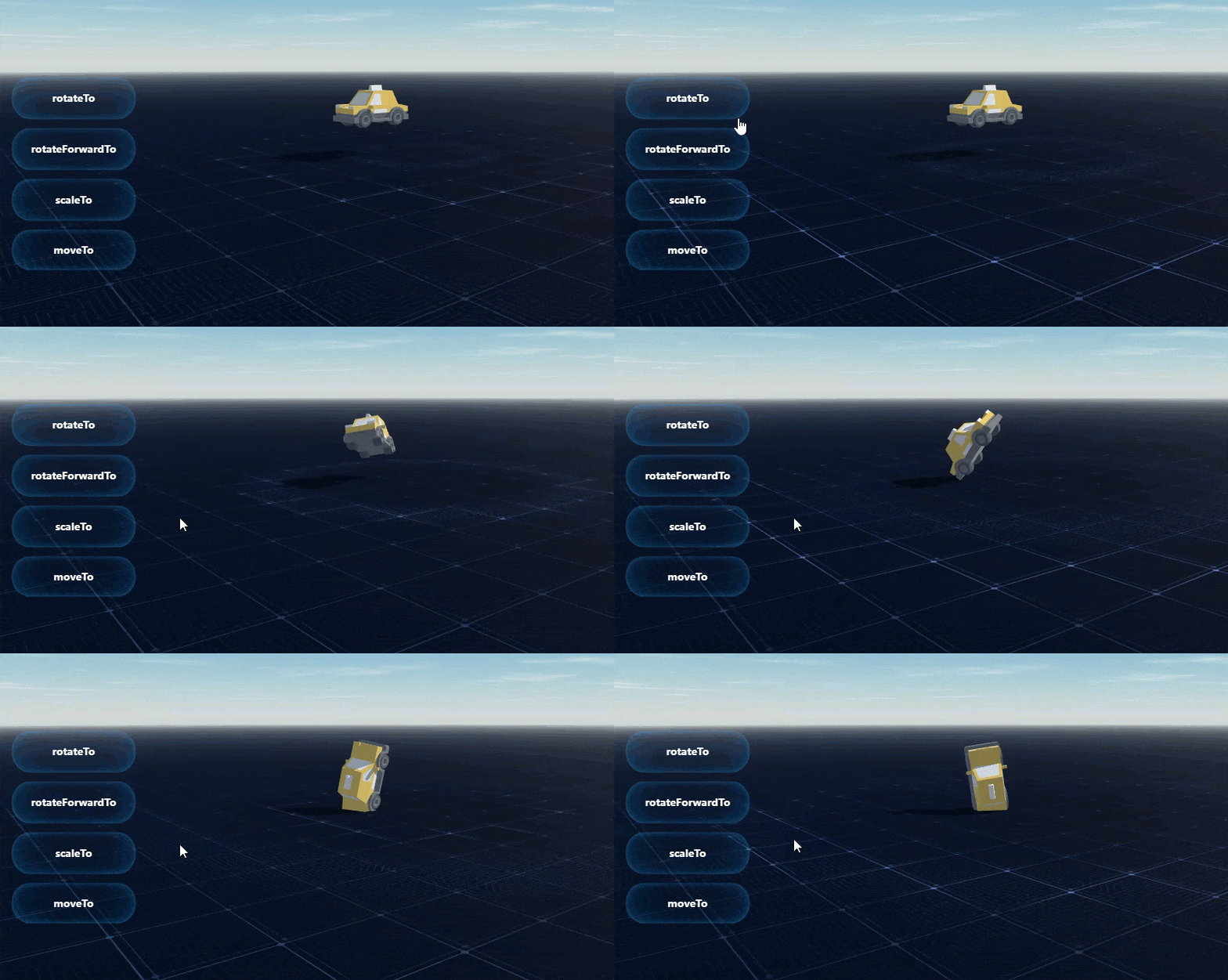
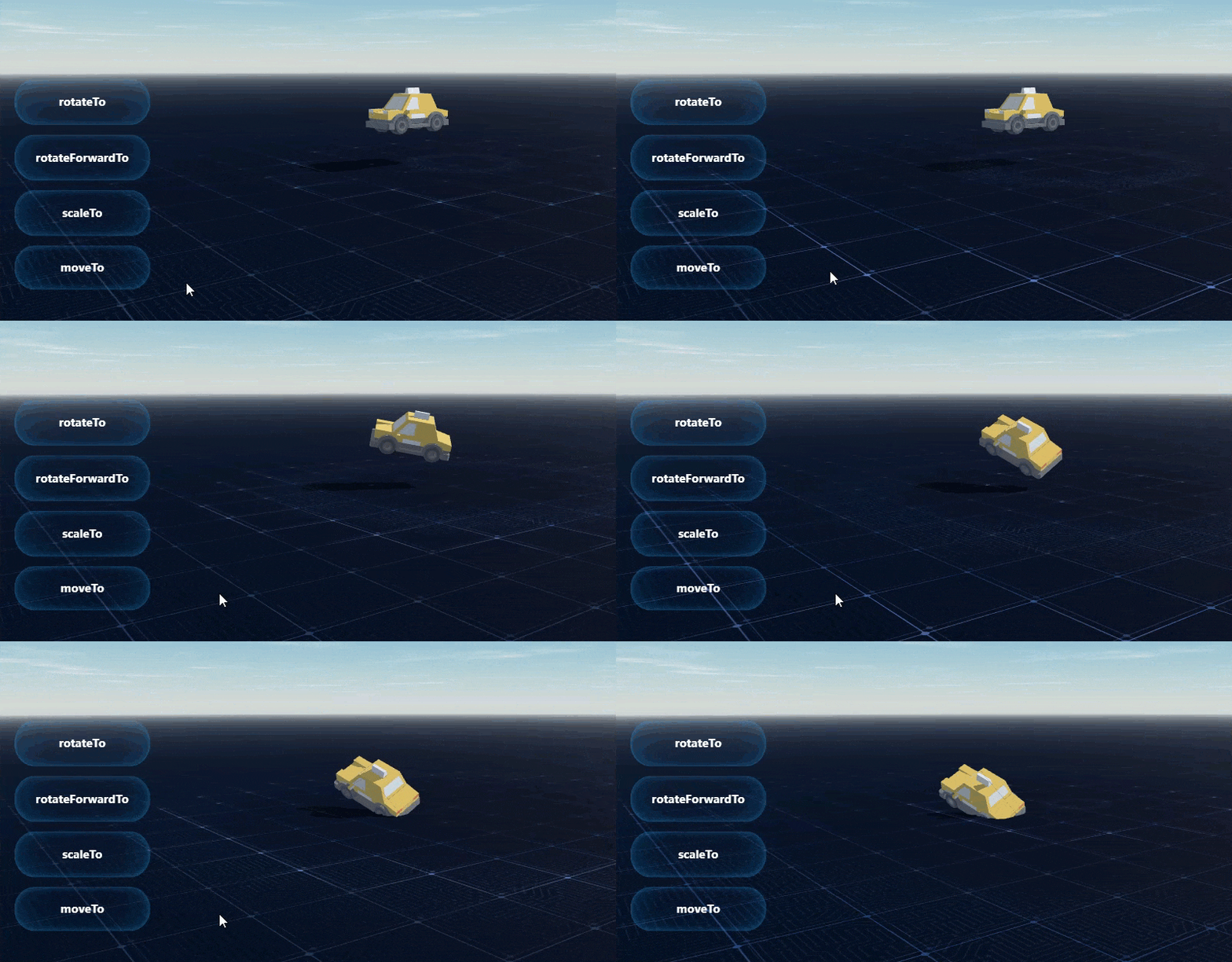
效果如下图所示:
rotateForwardTo
实现方法如下:
type MeshForward = {
  rotation?: NumberArray3;
  direction?: NumberArray3;
};

const DefaultMeshForward: MeshForward = {
  rotation: [0, 0, 0],
  direction: [0, 0, 1],
};

export type IMeshAnimationInfo<T> = {
  onTransforming?: (factor: number, value: T) => void;
  onTransformCompleted?: () => void;
  duration?: number;
  speed?: number;
};

rotateForwardTo(
    direction: NumberArray3,
    option: IMeshAnimationInfo<NumberArray3> & { forward?: MeshForward }
  ): void;
实现案例如下:
 //场景二:指定朝向: rotation & forward
    setTimeout(function(){
        // 获取模型组件中的模型对象
        const widget=duchamp.getWidgetByName("3D");
        const taxi=widget.getMeshByName("taxi");

        const nextForwardDirection = [1, 1, 1];

        const meshForward={
            rotation:[90,100,180],
            forward:[0,1,0]
        }
        rotateForwardOption1={
            duration: 4,
            speed:60,
            meshForward,
            onTransforming:(factor,value)=>{
                if(factor==0){
                    taxi.setScaling([6,6,-6])
                    console.log("场景2Begain>>>>>定义朝向")
                }
            },
            onTransformCompleted: () => {
                console.log("场景2END")
            }
        }
        taxi.rotateForwardTo(nextForwardDirection, rotateForwardOption1);

        },1000)
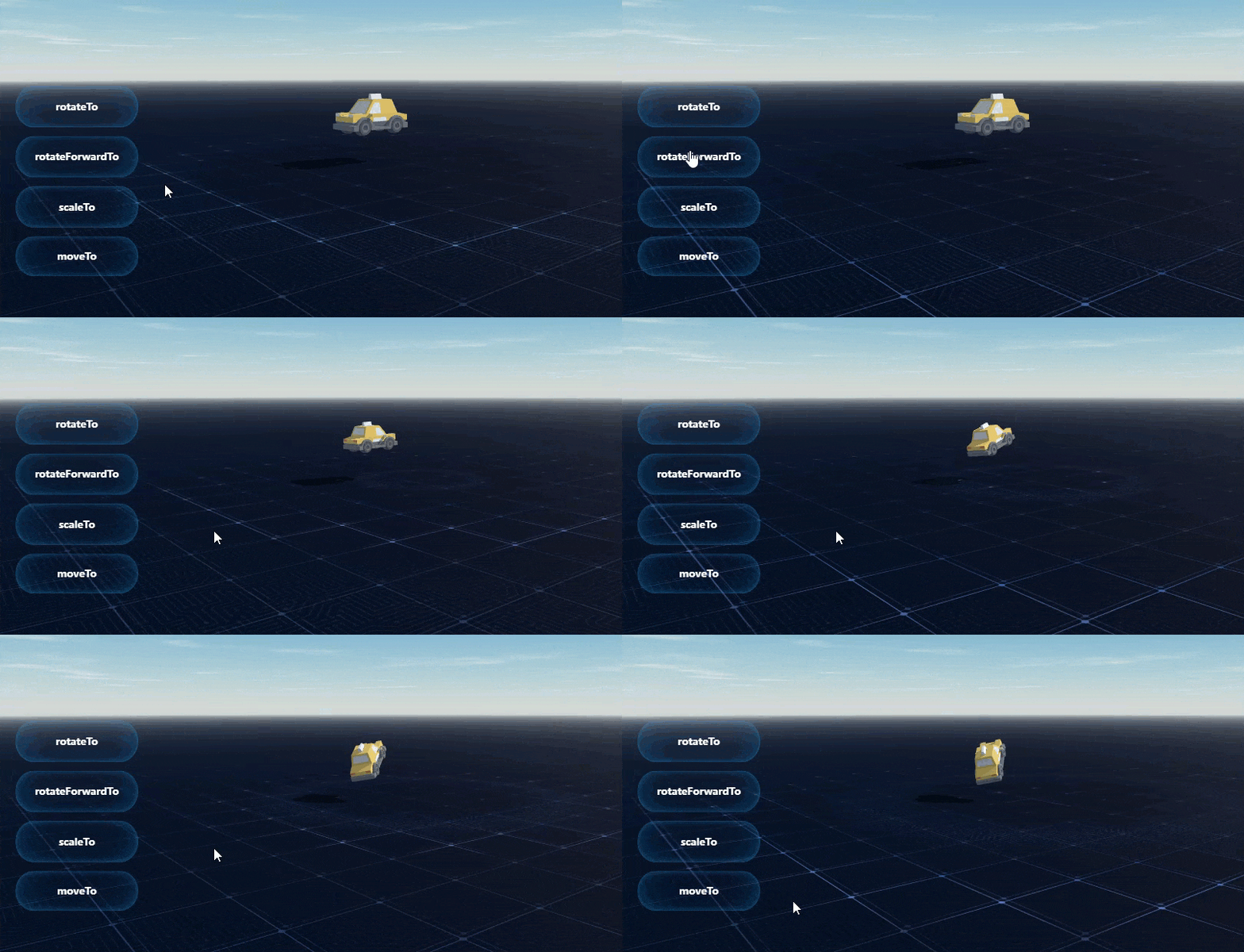
效果如下图所示:
scaleTo
实现方法如下:
export type IMeshAnimationInfo<T> = {
  onTransforming?: (factor: number, value: T) => void;
  onTransformCompleted?: () => void;
  duration?: number;
  speed?: number;
};

scaleTo(
    scaling: NumberArray3,
    option: IMeshAnimationInfo<NumberArray3>
  ): void;
实现案例如下:
//场景三:变换缩放大小
setTimeout(function(){
    // 获取模型组件中的模型对象
    const widget=duchamp.getWidgetByName("3D");
    const taxi=widget.getMeshByName("taxi");

    const nextScale = [15, 15, 15];

    scaleOption={
        duration: 3,
        onTransforming:(factor,value)=>{
            if(factor==0){
                console.log("场景3Begain")
                console.log("taxi的scale:"+taxi.scaling)
            }
        },
        onTransformCompleted: () => {
            console.log("场景3END!taxi的scale:[15, 15, 15]==="+taxi.scaling)
        }
    }
    taxi.scaleTo(nextScale, scaleOption);

    },1000)
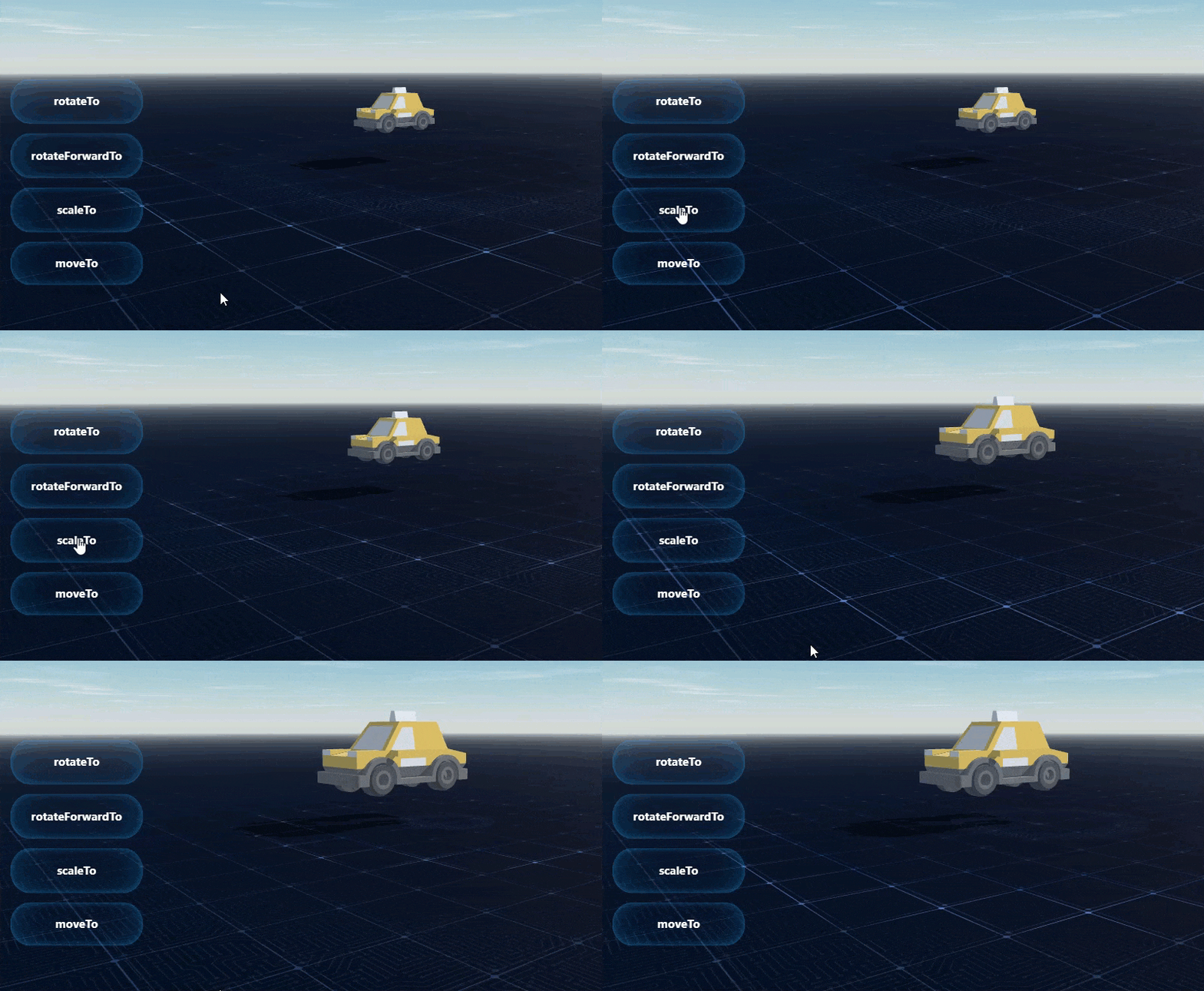
效果如下图所示:
moveTo
实现方法如下:
type MeshCoord = {
  rotation?: NumberArray3;
  forward?: NumberArray3;
};

const DefaultMeshCoord: MeshCoord = {
  rotation: [0, 0, 0],
  forward: [0, 0, 1],
};

export type IMeshAnimationInfo<T> = {
  onTransforming?: (factor: number, value: T) => void;
  onTransformCompleted?: () => void;
  duration?: number;
  speed?: number;
};

export type IMeshForwardRotationInfo<T> = IMeshAnimationInfo<T> & { coord?: MeshCoord }

moveTo(
    position: NumberArray3,
    option: IMeshAnimationInfo<NumberArray3>,
    rotateForwardOption?: IMeshForwardRotationInfo<NumberArray3>
  ): void;
实现案例如下:
//场景四:先转向后移动
 setTimeout(function(){
    // 获取模型组件中的模型对象
    const widget=duchamp.getWidgetByName("3D");
    const taxi=widget.getMeshByName("taxi");

    const nextPosition = [4.8, 1.0, -8];

    // 模型头部朝向为旋转角度为[0, 180, 0]时的 方向向量 [1, 0, 0].
    // 模型旋转时长: 3
    const coord = { rotation: [0, 180, 0], forward: [1, 0, 0]};
    const rotateForwardOption = {
        coord,
        duration: 3,
        onTransforming:(factor,value)=>{
        if(factor==0){
            console.log("场景4Begain")
        }
    },};

    // 模型沿直线运动到下一位置, 并自动旋转模型朝向沿轨迹方向
    // 模型移动时长 3秒
    positionOption={
        duration: 3,

        onTransforming:(factor,value)=>{
            if(factor==0){
                console.log("positionOption Begain")
                console.log("taxi的position:"+taxi.position)
            }
        },

        onTransformCompleted: () => {
            console.log("场景4END!position的scale:[4.8, 1.0, -8]==="+taxi.position)
        }
    }
    taxi.moveTo(nextPosition, positionOption,rotateForwardOption);

    },1000)
效果如下图所示:
模板下载编辑
点击下载模板:模型轨迹运动JS示例.fvs